I picked up this book randomly in Waterstones the other day, trying to use up the points on the gift card my work colleagues had thoughtfully bought me as a leaving present. I remembered hearing about the 'Long Tail' on the LISF module, and figured it would be relevant reading.
The idea of the Long Tail isn't new, and is probably old hat to most readers. This book is an updated version of Chris Anderson's 2006 original, but to be honest, I don't think there was much added between the two editions. Most of the information was pertinent to pre-2006, and this edition happens to be 2009, so it's still a little out of date. For instance - no mention of Twitter, Spotify, and other newer social media. Not even last.fm, come to think of it. The thing is, you don't really need to have those sites mentioned. Anderson gives you all the detail, and you just run with it. Really, you could read 'Twitter' for 'Facebook' and you'd still get the same idea. The theory of the Long Tail would still hold true.
And really, that's the only beef I have with this book. Much as I enjoyed it (and I tell you true, I did), most of it was repetition. After the first couple of chapters, you'd pretty much got the point and were ready to move on. There is a Long Tail for just about anything you can think of - music, movies, coffee, chocolate, beer, clothes, prams, cars, advertising. After finishing this book, you will be wondering what ISN'T affected by the Long Tail and finding yourself hard-pressed to find anything.
The thing is, once you know it, it's obvious. We all have niche interests. There's nothing amazing about that. It's just that, with the internet, we have been spoiled by the expansion of opportunities to indulge in those interests. Perhaps for the first time in history, people have had wide access to niche markets open up before them at the click of a mouse. In the past traditional 'bricks and mortar' stores have only concentrated on the hits and the bestsellers because they had no space for the rare and the obscure, and the hits were sure to sell and make a profit. Simple math. Anderson's point is that this paradigm is dying - because of the World Wide Web. Now the niche market constitutes a growing proportion of a company's overall profits - and it's continuing to grow. If you have enough buyers in any one niche market, you are still going to make a hell of a lot of money, even if only one unit is sold per annum.
(Incidentally, this is one of the things I enjoyed most about being in Japan, specifically Tokyo. Stores there heavily cater to Long Tail markets. Yellow Submarine serves the long tail of roleplay gaming; Mandarake serves the long tail of self-published fan comics; Book Off serves the long tail of second hand books, CDs, DVD's and videogames).
Some people have criticised Anderson for not getting the economics right in this book; I don't know much about economics, but I know enough from what being a Long Tail consumer myself informs me. There is no way I could've bought VS System cards a year after they'd been discontinued without access to specialist online stores such as the 13th Floor. Neither could I have found the hard-to-find beads and findings I was looking for unless I went to great expense to get them specially shipped - or bought them cheaply and conveniently at The Bead Shop. A whole new world has opened up for me and my interests through the internet; as has a whole new market been born for many businesses out there in the 'real world'.
So yeah. It's worth a read. Even if only to get your brain ticking over all the Long Tails it can possibly conceive of.
Blog for my creative musings
Sunday, 19 February 2012
Thursday, 29 December 2011
Web 2.0 and Web 3.0 – A Gamer’s Perspective
Introduction
With the advent of faster internet connections, online gaming has grown in popularity; likewise, the emergence of Web 2.0 has given birth to the world of social networking. But these two entities are not always entirely exclusive of one another. Along with Facebook have also grown a plethora of social network games, such as Farmville and Mob Wars, where participants can interact with one another as well as play the game itself.
Similar games such as IMVU and Second Life include the option for members to create custom content (CC), which adds an extra dimension of interactivity for participants, allowing them to trade, exchange, and even buy and sell custom creations via the internet. This essay will discuss the ways in which Web 2.0 and 3.0 have enabled users to create and exchange such content, as well as swap tutorials, discuss game information, and find an audience. Specifically the essay will look at The Sims (2000), an old game by Maxis (now a subsidiary of Electronic Arts) which, despite two newer sequels, still retains a large following. Many sites related to this game are now obsolete, motivating fans to preserve and archive custom content which can no longer be found elsewhere. Three points will be discussed: - 1) how gamers have used Web 2.0 and 3.0 tools to effectively create, archive and publish The Sims custom content on the web; 2) how they use current advances in ICTs to create ‘information networks’ with other fans and gamers and; 3) how the archiving of custom content has been digitally organised and represented on the web. Lastly, we will see how present technologies can be further used to enhance gamers' experiences in the future.
1. Creating and Publishing Custom Content (CC)
1.1. XML and the creation of custom content for The Sims
Objects in the game The Sims are stored in the IFF (Interchange File Format) file format, a standard file format which was developed by Electronic Arts in 1985 (Seebach, 2006). Over the years, gamers and fans have discovered ways to manipulate IFF files, and thus clone and customise original Sims objects. This has been done with the tacit endorsement of the game creator, Will Wright (Becker, 2001), and has been supported by the creation of various open-source authoring and editing tools such as The Sims Transmogrifier and Iff Pencil 2.
The Sims Transmogrifier enables users to ‘unzip’ IFF object files, exporting the sprites into BMP format, and converting the object’s metadata into XML format (see Fig. 1). XML (eXtensible Markup Language) is a standard ‘metalanguage’ format which “now plays an increasingly important role in the exchange of a wide variety of data on the web” (Chowdhury and Chowdhury, 2007, p.162). Evidence of its versatility is that it can be used to edit the properties of Sims objects, either manually or via a dedicated program. The game application then processes the data by reading the tags in context.
![]() |
| Fig. 1 - An example of a Sims object's metadata expressed in XML. The tags can be edited to change various properties of the object, such as title, price and interactions. |
This highlights two points relating to the general use of XML:- a) it is versatile enough to be used to edit the properties of game assets and; b) it is accessible enough for gamers to effectively edit it in order to create new game assets.
1.2. Pay vs. Open-Source
The pay vs. open-source debate has not left The Sims world unscathed. In fact, it is a contentious issue that has divided the community for years. CC thrives on open-source software; indeed, cloning proprietary Maxis objects in order to create new ones would not be possible without free programs such as Transmogrifier. These tools have supported the growth of an entire creative community that modifies game content. However, there are software tools that are not open-source and which are often met with disapproval by gamers. Some CC archive sites, such as CTO Sims, have opted to make these programs available to its members for free, which has been controversial for some.
Even more contentious is the selling of CC, which has been made possible with the use of APIs (see Fig. 2). Many players feel that they should not have to pay for items which have, after all, merely been cloned from Maxis originals. Some creators choose to sit on the fence, putting Paypal donation buttons on their sites for those who wish to contribute to web-hosting costs. It seems that such a debate would not exist without the existence of online transaction web services like Paypal, which seem to have fed a controversial market in CC. On the other hand it is largely the open source 'movement' which has allowed creators to make their content in the first place, and so the latest web technologies have essentially fuelled both sides of a debate which looks set to continue.
![]() |
| Fig. 2 - A Paypal API added to the site Around the Sims. The donation button allows payments to be made directly through Payal's site. Registration is not necessary. |
1.3. Publishing CC on the Web
There are several methods through which creators publish their work. One is blogging. Fig 3 shows an example of a creator's blog, Olena's Clutter Factory, which showcases her CC and allows gamers to download them. The Clutter Factory is a very successful site – it not only provides high quality downloads, but also a level of interactivity not often seen with The Sims fan sites. Because it is hosted by Blogger, it allows fellow Google members to follow updates as new creations are added, post comments, and browse via tags.
![]() |
| Fig 3. - A blog entry at Olena's Clutter Factory |
Another example of effective publishing is the author's website, Sims of the World, which is hosted by Google Sites (see Appendix 1). Google Sites allows the webmaster to use a variety of tools in order to publish data on the web. This includes the ability to create mashups using what Google calls 'gadgets'.
Google gadgets are essentially APIs, “miniature objects made by Google users … that offer … dynamic content that can be placed on any page on the web” (Google, 2011). Examples of Google gadgets are the Picasa Slideshow and the +1 facility. Sims of the World uses Picasa Slideshow to display the site owner's online portfolio to fellow gamers in a sidebar. Gamers are therefore able to view examples of the creator's work before choosing to download it. If they like what they see, they have the option to use the +1 button, which effectively recommends the site to other gamers by bumping up its rating on Google's search engine.
Google Sites also allows the addition of outside APIs. Sims of the World has made use of this facility by embedding the code from a site called Revolver Maps, which maps visitors to the site in real time. Not only can the webmaster view previous, static visits to the site, they can also view present visitors to the site via a 'beacon' on the map. This tool allows the ability to view visitor demographics and the popularity of the site. For a more in-depth view, the site's visits may be mapped via Google Analytics, which provides more detailed information.
Google itself is an excellent tool for web publishers as it accommodates editing whilst on the move. The Google Chrome browser now comes with a handy sync function, which stores account information in the 'cloud', and allows it to be accessed wherever the webmaster happens to be. Browser information such as passwords, bookmarks and history are stored remotely, which makes accessing the Google Sites manager quick and convenient, with all relevant data available immediately. This is an invaluable tool for webmasters, as well as for the regular internet surfer.
2. Social Networking and The Sims
"Participation requires a balance of give (creating content) and take (consuming content)."
(Rosenfeld and Morville, 2002, p.415).
The customisation of game assets from The Sims has opened up a huge online community which shares, exchanges and even sells CC. The kudos attached to the creation of CC means that creators often seek to actively display and showcase their work on personal websites, blogs and Yahoo groups. This has created a kind of social networking where creators exchange links to their websites, comment on one another’s works, and display their virtual portfolio. As Tomlin (2009, p.19) notes: “The currency of social
networks is your social capital, and some people clearly have more social
capital than others.”
How
then do creators promote their social capital?
Gamers have been quick to use social networking in order to showcase creations or keep the wider community informed. An example is the Saving the Sims Facebook page, which has a dedicated list of CC updates, as well as relevant community news. Other examples include Deestar's blog, Free Sims Finds, which also displays pictures of the latest custom content for The Sims, Sims 2 and Sims 3.
Forums have also become the lifeblood of The Sims gaming community and its “participation economy” (Morville and Rosenfeld, 2002). These include fora such as The Sims Resource, CTO Sims and Simblesse Oblige, which give gamers the opportunity to share hints, tips, and other game information as well as their own creations. It also offers the chance to create relationships with other gamers and fans. Themed challenges and contests are a popular past-time at these fora, with prizes and participation gifts given out regularly. Threads are categorised by subject, can be subscribed to, and at CTO can even be downloaded as PDFs for quick, offline reading.
Simblesse Oblige is a forum that specialises in gaming tutorials. Unlike webpage-based tutorials, Simblesse Oblige's tutorials have the advantage of being constantly updated by contributors (similar to the articles on Wikipedia). Forum members may make suggestions in the tutorial thread, add new information to the tutorials, or even query the author. Members are welcome to add their own tutorials (with the option of uploading explanatory images) to the forum and share their own knowledge with peers. This constantly changing, community-driven forum is a far cry from the largely one-dimensional, monolithic Usenet lists of Web 1.0.
3. Digital Organisation of The Sims CC
3.1. Archiving old CC
The Sims is an old game, and over the years many CC sites have disappeared. In recent years The Sims has seen a resurgence in popularity, and consequently there has been a move to rescue and preserve such content via sites such as CTO Sims, Saving the Sims, or Sims Cave. Unfortunately, this 'rescue mission' has been a slap-dash, knee-jerk reaction to the sudden disappearance of so much ephemera - items that no one thought they would need. Much has been done to save the contents of entire websites via the Internet Archive's Wayback Machine, for instance, but this cannot guarantee that any one website has been scraped in its entirety.
Sims collectors or archivists have resorted to community donations to help save what has been lost. This is a patchy process, as gamers generally do not collate custom content in an organised fashion, sometimes not knowing where their 'donations' come from or what exactly they consist of. Thus, archiving custom content is a time-consuming business which involves determining the nature of each file, labelling it, determining its properties and provenance and publishing it under the correct category (e.g. type of custom content, original creator/website etc.).
3.2. The Future of CC Archiving?
CTO Sims is a site - part archive, part forum - which attempts to rescue custom content from dead sites and publish it for the use of the community, categorising each item as closely to the original host site as possible. However, this is often impossible, as some sites are no longer accessible even via the Internet Archive. Since additions to the archive are made on a largely ad hoc basis (as and when donations are uploaded by the community), categorising is often inefficient, and duplications often occur, since there is no catalogue. The number of files is ever-expanding, creating an increasing need for a cataloguing or indexing system of some kind.
With the use of XML, RDF (Resource Description Framework) and other indexing tools, this may be the perfect time for such a system to be developed by the community. It is hoped that present and future technologies will aid in the further preservation of these niche ephemeral items, which display a unique side of online pop-culture. (See Appendix 2 for an example of a proposed RDF schema).
Blog URL:- http://digisqueeb.blogspot.com
References and Bibliography
Becker,
D., 2001. Newsmaker: The Secret Behind ‘The Sims’. CNET News,16 March 2001.
Available at: http://news.cnet.com/The-secret-behind-The-Sims/2008-1082_3-254218.html
[Accessed on 28 December 2011].
Brophy, P., 2007. The Library in the Twenty-First Century. 2nd ed. London: Facet.
Chowdhury, G. G. and Chowdhury, S.,
2007. Organizing Information: from the shelf to the web. London: Facet.
Feather, J. and Sturges, R. P. eds., 2003. International Encyclopedia of
Information and Library Science. 2nd ed. London: Routledge.
Google, 2011. Gadgets.
[online] Available at: http://www.google.com/webmasters/gadgets/
[Accessed on 28 December 2011].
Rosenfeld, L. and Morville, P.,
2002. Information Architecture for the World Wide Web. 2nd
ed. California: O’Reilly.
Seebach, P., 2006. Standards and specs:
The Interchange File Format (IFF). 13 June 2006. Available at: http://www.ibm.com/developerworks/power/library/pa-spec16/?ca=dgr-lnxw07IFF
[Accessed on 27 December 2011].
Sihvonen,
T., 2011. Players Unleashed! Modding The
Sims and the Culture of Gaming.
Amsterdam: Amsterdam University Press.
Tomlin,
I., 2009. Cloud Coffee House: The birth
of cloud social networking and death of the old world corporation. Cirencester: Management Books 2000.
Appendix 1
An example of a proposed RDF schema applied to CC for The Sims, composed by the author.
This picture shows a skin for The Sims. The skin file (.skn, .cmx and .bmp) would be the subject. ‘The Seamstress’ would be the object. The predicate would be ‘has title’ (http://purl.org/dc/elements/1.1/title).
Here are examples of other RDF triples that can be applied to this item:-
Subject: this item
Object: skin file
Predicate: Type (http://purl.org/dc/elements/1.1/type)
Subject: this item
Object: Ludi_Ling
Predicate: Creator (http://purl.org/dc/elements/1.1/creator)
Subject: this item
Object: 11/08/2011
Predicate: Date (http://purl.org/dc/elements/1.1/date)
Subject: this item
Object: birthday present for JM
Predicate: Description (http://purl.org/dc/elements/1.1/description)
Subject: this item
Object: rar.
Predicate: Format (http://purl.org/dc/elements/1.1/format)
Subject: this item
Object: Member Creations/Skins
Predicate: Category
Sunday, 4 December 2011
The World of Open
One thing I'm all for is the world of open on the web. I can't be bothered with registering, subscribing and paying. Surely the whole point of the net is to have everything at your fingertips? Who wants to jump through all those hoops?
I'm a big fan of FileHippo. Many of the programs I've downloaded are open source. I'm not crazy about the whole open source movement (I take a practical approach rather than an ideological one), but I fully support anything to do with open source and open data. With freedom of information, it makes it a whole lot more practical to make everything available online instead of spending hundreds of man hours working through request after request. Not to mention the advantages of creating RDF schemas for such data and creating huge mashups of information.
On a personal level, open source comes a lot into my everyday life creating for the Sims. There is a big divide in the community about being 'fileshare friendly', or choosing to withhold or charge for the content you have created. This goes not only for custom items, skins and objects, but also for custom programs made to get the most out of the game. It is a very contentious issue, and still divides the community after many years. It seems that open source is something that people feel strongly about on both sides of the divide.
Sharing my creations freely is, for me, being part of an online community to get the best out of your game. Also, the ability to push the boundaries with your creations and 'show off' what you can achieve is also a big motivation. It is also a great way for creators and users to share their ideas and needs, to look outside the box and to create things from a whole new viewpoint. Creators create in response to other player's needs as well as their own. This makes the community atmosphere very productive, stimulating and open-minded. And more often than not, people are passionate enough about a service to donate in order to cover costs, so it works both ways.
I'm a big fan of FileHippo. Many of the programs I've downloaded are open source. I'm not crazy about the whole open source movement (I take a practical approach rather than an ideological one), but I fully support anything to do with open source and open data. With freedom of information, it makes it a whole lot more practical to make everything available online instead of spending hundreds of man hours working through request after request. Not to mention the advantages of creating RDF schemas for such data and creating huge mashups of information.
On a personal level, open source comes a lot into my everyday life creating for the Sims. There is a big divide in the community about being 'fileshare friendly', or choosing to withhold or charge for the content you have created. This goes not only for custom items, skins and objects, but also for custom programs made to get the most out of the game. It is a very contentious issue, and still divides the community after many years. It seems that open source is something that people feel strongly about on both sides of the divide.
Sharing my creations freely is, for me, being part of an online community to get the best out of your game. Also, the ability to push the boundaries with your creations and 'show off' what you can achieve is also a big motivation. It is also a great way for creators and users to share their ideas and needs, to look outside the box and to create things from a whole new viewpoint. Creators create in response to other player's needs as well as their own. This makes the community atmosphere very productive, stimulating and open-minded. And more often than not, people are passionate enough about a service to donate in order to cover costs, so it works both ways.
Friday, 25 November 2011
The journey into Web 3.0....
I'd always read of the semantic web as Web 2.0. So it was a surprise to come across the concept of Web 3.0. Actually, the term 'semantic web' has been bandied around for a long time. What it actually is is up for debate. The easiest way to think about it is in terms of Web 1.0 = read only, Web 2.0 = read/write, and Web3.0 = read/write/execute.
What I take from the concept of Web 3.0 is the idea of making machines smarter, more 'intuitive'. Of course, since computers are inherently stupid, this involves us giving the means with which to become smarter and more intuitive. Like giving them the semantics to work with, in order to retrieve data more effectively. In short, data is not only machine readable, but machine understandable.
This is all technically theory, since the semantic web doesn't really exist - yet. We still don't really have a system whereby computers can build programmes, websites, mashups, what have you, in an intelligent and 'intuitive' way according to our needs. But the potential is there, with tools like XML and RDF. These involve the creation of RDF triples, taxonomies, and ontologies. What the hell, you may ask? And I may well agree with you. How I've come to understand it is that these are essentially metadata applied to information in order to relate those pieces of information together in a semantic way. These relationships between data or pieces of information make it easier to retrieve them, because they are now given a context within a larger whole.
This does have its parallels with Web 1.0. RDF Schemas (taxonomies expressed as groups of RDF triples) have a certain similarity to the concept of relational databases. RDF schema 'nodes' can be equated to the primary key in relational databases. In fact, the whole idea of RDF schemas can get a little confusing, so some of us found it easier to think of it in terms of a web-based relational database.
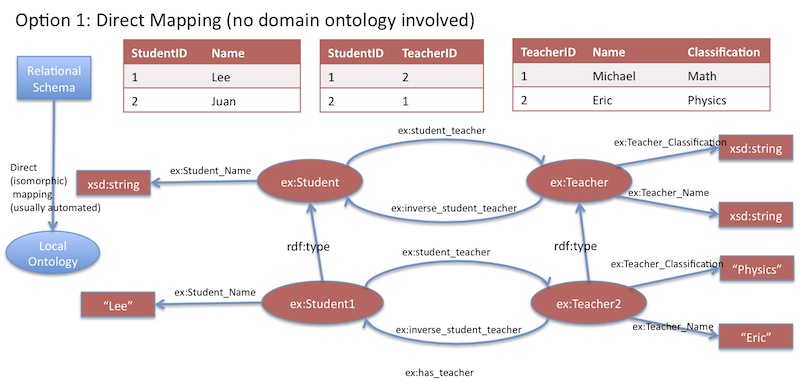
The idea behind this is essentially to create relational databases on the net, but to link them semantically to one another, effectively creating the ability to find correlations between vast amounts of data that would otherwise be remote and essentially invisible. The advantage is that we can get the accuracy of data retrieval results on the Web. To take the diagram's example; we have a database of student's GCSE results. If we pair this up with a demographic database, and apply an ontology to them (thereby creating rules of inference), we can discover correlations between GCSE results and student demographics.
The potential to make even more advanced and relevant mashups is the huge advantage of this technology. However, the problem is that it requires quite a bit of skill and time investment in order to create these schemas, taxonomies and ontologies. Most people would be satisfied with what they can create via Web 2.0 technologies - with social networking, blogging and mashups. The potential to make faulty schemas is also a problem - as with a database, any error in organising the information, or in the data retrieval process will mean a complete inability to access data.
But the main problem I see is that these schemas are only really applicable to certain domains, such as librarianship, archiving, biomedics, statistics, and other similar fields. For the regular web user, there are no particular benefits to applying an RDF schema to, say, your Facebook page - but it would probably be useful to Mark Zuckerberg.
The semantic web is probably more useful in the organisation of information on the web, and harnessing it. But it would probably be largely invisible and irrelevant to the legions of casual web users out there.
What I take from the concept of Web 3.0 is the idea of making machines smarter, more 'intuitive'. Of course, since computers are inherently stupid, this involves us giving the means with which to become smarter and more intuitive. Like giving them the semantics to work with, in order to retrieve data more effectively. In short, data is not only machine readable, but machine understandable.
This is all technically theory, since the semantic web doesn't really exist - yet. We still don't really have a system whereby computers can build programmes, websites, mashups, what have you, in an intelligent and 'intuitive' way according to our needs. But the potential is there, with tools like XML and RDF. These involve the creation of RDF triples, taxonomies, and ontologies. What the hell, you may ask? And I may well agree with you. How I've come to understand it is that these are essentially metadata applied to information in order to relate those pieces of information together in a semantic way. These relationships between data or pieces of information make it easier to retrieve them, because they are now given a context within a larger whole.
This does have its parallels with Web 1.0. RDF Schemas (taxonomies expressed as groups of RDF triples) have a certain similarity to the concept of relational databases. RDF schema 'nodes' can be equated to the primary key in relational databases. In fact, the whole idea of RDF schemas can get a little confusing, so some of us found it easier to think of it in terms of a web-based relational database.
| Relational database <-> RDF schema |
The potential to make even more advanced and relevant mashups is the huge advantage of this technology. However, the problem is that it requires quite a bit of skill and time investment in order to create these schemas, taxonomies and ontologies. Most people would be satisfied with what they can create via Web 2.0 technologies - with social networking, blogging and mashups. The potential to make faulty schemas is also a problem - as with a database, any error in organising the information, or in the data retrieval process will mean a complete inability to access data.
But the main problem I see is that these schemas are only really applicable to certain domains, such as librarianship, archiving, biomedics, statistics, and other similar fields. For the regular web user, there are no particular benefits to applying an RDF schema to, say, your Facebook page - but it would probably be useful to Mark Zuckerberg.
The semantic web is probably more useful in the organisation of information on the web, and harnessing it. But it would probably be largely invisible and irrelevant to the legions of casual web users out there.
Wednesday, 16 November 2011
The Web on the Move, Part 2
Taking what we had learned from Monday's lesson, our computer lab exercise asked us to design a mobile device app that fulfils our needs as City students. There was a lot of discussion and good ideas flying around; a lot of looking at our own smartphones and seeing how they presented their apps and such. There was also much checking of City's Moodle system and its many flaws and drawbacks.
I'd initially been a bit worried about this exercise, not knowing exactly what I could bring to it; but the conversation and ideas were so stimulating, I soon became very excited about designing my own app. As soon as I got home, I started making a mockup of a City Moodle app on Photoshop.
![]() |
| A City Moodle app mockup. Does not discriminate between smartphones (but only because I don't actually have an iPhone). |
- Mail - Instant access to your City email account.
- Discussion - Feed of the latest posts on the Moodle discussion boards with the option of instant posting/replying.
- Compass - GPS or wi-fi based showing your campus location. It allows you to key in your classes and get room directions.
- Bluetooth - Allows you to instantly download lecture notes and slides so that you can read them on the move.
- Scanner - Liam's brilliant idea! See a book in the bookshop, and scan the barcode to check its availability at City's library.
- Library - Access to your library account and the library catalogue; allows you to reserve and renew books whilst on the move.
On top of this there is a drop-down menu which allows you to access your course details whenever you want. The drop-down menu unfolds over the length of the screen, and folds when you touch outside the body of the menu. I'm sure there's a lot more that could be integrated into this. I think it would be a great idea to have such an app for City students; the exercise made me realise just how useful it could really be.
The Web on the Move, Part 1
So I guess this lesson succeeded in that it made me upgrade my ancient (i.e. 2 year old) phone and get a new touch-screen smartphone! So unfair that I have to wait hours for it to charge before I use it! T_T
Frankly, I was surprised I managed to hold out for so long. Smartphones are now pretty ubiquitous, and being a bit of a gadget fan, the temptation was certainly there to capitulate to the web as mobile platform. So why are smartphones so popular?
Having a computer in your pocket whilst on the move is certainly a big pro. The main pro of mobile devices is that they are context aware. The know where they are, and can provide lots of information about their location, e.g. in-built GPS system. The cons are obviously the limited screen and keyboard size (not so much of a problem for someone with tiny hands like me, and I like bite-sized phones, but hey...). Other cons like limited connectivity and battery life are Moore's Law problems, and will probably get solved if you sit around for another couple of years (which is what I ended up doing before I got my new phone, lol!).
The main problem with mobile devices is that they don't really fulfil user's information needs. It is the current technology that defines our needs. For example, with my old phone, I knew there was no point in trying to connect to City's Moodle system, because my phone simply could not handle it. It would have been mighty useful to have access to Moodle like I would have had on a Smartphone, but it was impossible and so I would just wait until I had access to my laptop.
Looking at it from another angle, technology can also provide users with things they never knew they wanted. Just now I saw an advert for the new iPhone 4S, with voice control technology. Want to know if you need an umbrella when you go out tonight? Just ask your phone. It'll give you an immediate answer. But who would have thought you'd even want this before it became reality?
My laptop has in-built voice recognition technology. Wow, I thought! I can really do with this. After setting it up and using it for a day to get it to learn my speech patterns, guess what - I never used it again. Maybe I didn't need it so much after all.
Frankly, I was surprised I managed to hold out for so long. Smartphones are now pretty ubiquitous, and being a bit of a gadget fan, the temptation was certainly there to capitulate to the web as mobile platform. So why are smartphones so popular?
Having a computer in your pocket whilst on the move is certainly a big pro. The main pro of mobile devices is that they are context aware. The know where they are, and can provide lots of information about their location, e.g. in-built GPS system. The cons are obviously the limited screen and keyboard size (not so much of a problem for someone with tiny hands like me, and I like bite-sized phones, but hey...). Other cons like limited connectivity and battery life are Moore's Law problems, and will probably get solved if you sit around for another couple of years (which is what I ended up doing before I got my new phone, lol!).
The main problem with mobile devices is that they don't really fulfil user's information needs. It is the current technology that defines our needs. For example, with my old phone, I knew there was no point in trying to connect to City's Moodle system, because my phone simply could not handle it. It would have been mighty useful to have access to Moodle like I would have had on a Smartphone, but it was impossible and so I would just wait until I had access to my laptop.
Looking at it from another angle, technology can also provide users with things they never knew they wanted. Just now I saw an advert for the new iPhone 4S, with voice control technology. Want to know if you need an umbrella when you go out tonight? Just ask your phone. It'll give you an immediate answer. But who would have thought you'd even want this before it became reality?
My laptop has in-built voice recognition technology. Wow, I thought! I can really do with this. After setting it up and using it for a day to get it to learn my speech patterns, guess what - I never used it again. Maybe I didn't need it so much after all.
Wednesday, 9 November 2011
Personalisation and increased functionality on Web 2.0
A couple of weeks back we discussed the idea of the internet
as a platform being one of the defining features of Web 2.0. This week we learned more about how the ‘internet
as platform’ functions – namely through the use of web services and API’s.
Web services allow the personalisation of information that
is passed through the web to the user.
Essentially it is ‘middleware’, re-processing machine-readable data from
the server in order to present it in a form that is uniquely tailored to the
client. As the client, we neither have
to see nor understand how that data is re-processed in order to gain access to
it. It is delivered to us in a simple
and convenient form by the web service without needing any significant programming
or computing knowledge on our part.
For example, I have 2
laptops – one for home use and one for Uni work. How can I have access to my web browsing data
from just one machine when I am away from the other? Google allows me to sync my browser data via
my Google account; so when I use the Chrome browser from anywhere, I still have
access to my bookmarks, passwords, usernames and other saved data.
XML is the ‘language’ of web services, similar to HTML yet
much more flexible. Learning to write
HTML back in the late 90’s, I discovered that it was basically rigid – HTML ‘tags’
or commands are prescribed and can only be read by certain programs. XML is similar in that it uses such tags and
commands, but these can be created by the user and provide unseen,
machine-readable metadata. It is also
readable by a wide number of programs.
For example, object data for the game the Sims is encoded in XML, and
can be manually manipulated in order to create custom content.
Nowadays, most programming is done through the use of API’s
(Application Programming Interfaces), which essentially hides complex internal
structures from the user of the API, thus making it more user-friendly. API’s can be used by other programmers and
developers to create their own widgets, gadgets, apps and countless other
useful little gizmos which can personalise your data. Hence we get Twitter feed apps for our
iPhones and Google Map sat nav on our tablets.
In the ‘real world’, API’s have really brought out the
functionality of my website. I am able
to embed a slideshow of all my creations onto my website, so users can
immediately see what I have to offer. I
also have a Revolver Maps gadget embedded into my page, so that I can keep
track of where my visitors come from, and who is currently browsing my
site. I also have a link to an RSS feed,
and a Google +1 gadget added so that people can recommend and keep up to date
with my site. The power of the API and
the web service lies in the fact that they are so accessible, so flexible, and
able to tailor information to both you and your audience. Ten years ago, setting up a sophisticated
visitor counter to your website would’ve probably required some technical
know-how. Nowadays, thanks to API’s, it’s
all there at the click of a button.
Subscribe to:
Comments (Atom)